Be yourself; Everyone else is already taken.
— Oscar Wilde.
This is the first post on my new blog. I’m just getting this new blog going, so stay tuned for more. Subscribe below to get notified when I post new updates.
Seize the day!
Be yourself; Everyone else is already taken.
— Oscar Wilde.
This is the first post on my new blog. I’m just getting this new blog going, so stay tuned for more. Subscribe below to get notified when I post new updates.

Youtube
The Theater Mode button, which never really did much, now does something great. It makes the video fill the screen except for the menu bar and YouTube controls. It’s one stop short of Full Screen, and genuinely useful.
The new Dark Theme is meant for nighttime viewing so all that white isn’t so blinding. It makes all the white areas of the screen black.
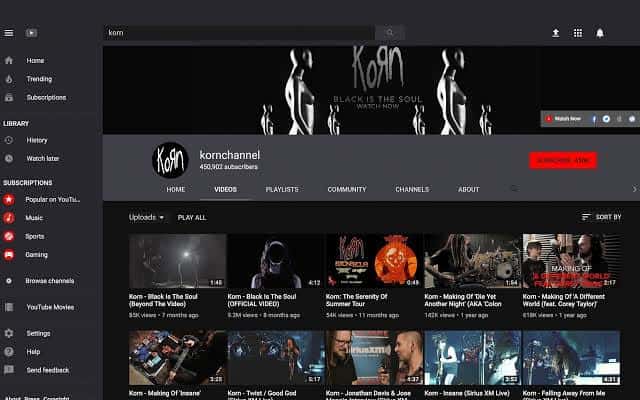
Sing karaoke. YouTube can be a lot of fun when used for a karaoke party. Just type the song name followed by karaoke and then search. You’ll find videos that have the entire song lyrics for you to sing along.
Watch videos offline. In case you didn’t know this already, you can save YouTube videos to watch them later in offline mode. Just click on the arrow below the video you are watching and you’re done. However, note that this can only be done on mobile and not desktop.
Download videos effortlessly. You may not know this, but there is a very simple trick to download YouTube videos. Just type ‘ss’ after ‘www.’ in the URL of the video. You’ll be then taken to a separate page where you can download videos with ease.
Save videos for watching later. This one is pretty simple, and probably you are aware of it already. If you come across a video in search results that you are interested in, but for some reason can’t watch it at that moment, you can save it for later.
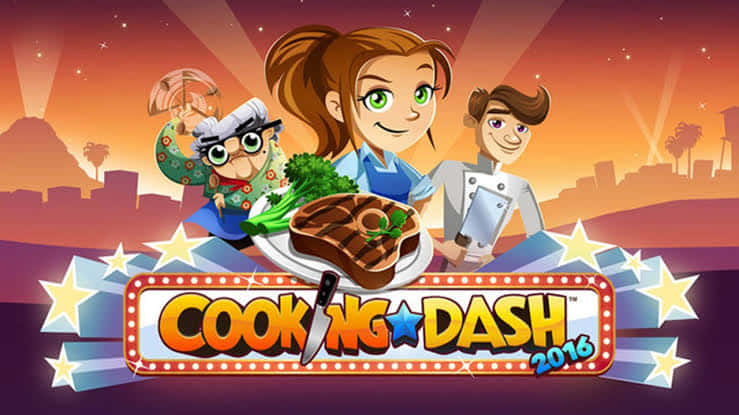
Cooking Dash
Time management. This game will test your time management skills as you beat the time for every dish you cook. The pressure is on but you have to stay in control and move with grace to make sure that you mix ingredients correctly.
Easy game to play. If you have played other casual time management and service games before, then it will be easier for you to play this game. The game was previously introduced to Android devices wherein you need to tap the screen of the device.
Free Game. Another cool feature of Cooking Dash is that it is for FREE. Once you have it installed to your mobile devices, etc., you get to play it all you want. However, there are items that you need to buy online if you want them added in your collection, especially when these items are not yet unlocked or available in your episode level.
Challenging dishes. The main event of the TV cooking show is to cook the dishes ordered by customers and make them satisfied with your cooking. As you complete the challenge on the clock, you will be rewarded with a three-star approval. However, if you fail to deliver the order, you customers will rant about it and will not give you higher score. So if you want to get the highest score and reach the stardom, make sure that you complete everything in time – deliciously.
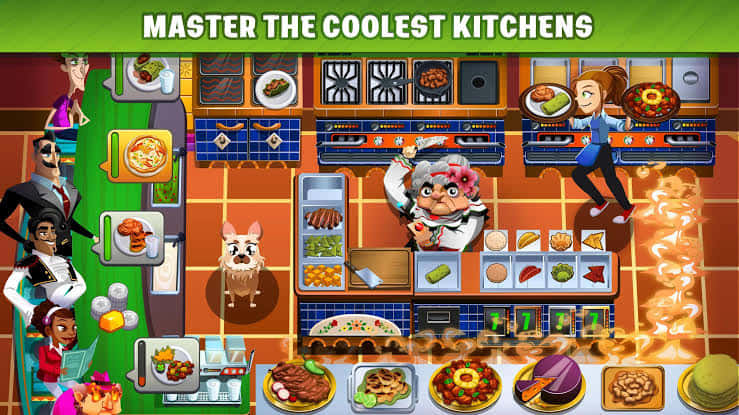
Stunning graphics. Cooking Dash for PC features great 3D graphics – from character to the game restaurant settings, sound effects and the whole game interface. Everything in the game is illustrated in a comic beautiful way. The characters are drawn with specific features, the foods are illustrated to make you hungry, and the restaurant settings are arranged to make it look like a real show in a television.
Interactive game. This game features interactive activities as you can play with your friends online. All you need as a group is a Wi Fi connection to play this game. You can send them gifts, recipes and other items they might need in their kitchen. You can also help them prepare their dishes if you have extra time and items in your own resto. You can also compete against them and challenge them on who gets to the top and be rewarded as the best chef in the whole world. Through Facebook, you can also invite other friends to play the game, should they want to join the challenge in the future.
Easy to install. This game is easy to find in your app store. Once you found the title of the game, you just have to click on it and have it downloaded and then finally installed in your mobile devices, etc.
Pinoy Food Recipes
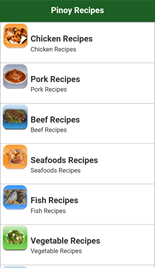
Not everyone has a good WiFi connection at home, and an app’s ability to function without an internet connection can be invaluable. That’s why the Pinoy Food Recipes app on Google Play can prove to be a great tool. It has dozens of recipes that you can search through, with great images and easy-to-follow instructions, and because it stores its data on your SD card, you can access it all even without an internet connection. This also means that searching for recipes is quick and easy.
Will I try to use other apps aside from those apps I featured above? Nope. I am the type of person that is not really into technology. I seldom use more than one application with the same purpose. For example, I am streaming videos on Youtube, I don’t use another app to stream for videos. One application is enough for me per purpose. Another is in gaming, I really love Cooking Dash, because it helped me to relax, though it’s a challenging game. Also for lifestyle, Pinoy Food Recipes that made me feel like a professional chef with its many dishes on the app. One application per usage is enough for me. Just a friendly reminder, one at a time and you’ll be on track. Love Love!
Public charging stations were a convenient way for me, especially if I’m on a travel and got my phone out of battery. It helped me when I have nowhere to charge, because I really cannot afford to let my phone shutdown. For me, it was a nice idea to put up this thing, because as we all know, mobile phone is a must-be-brought thing daily. However, as I have read this article about USB charging stuff, I was shocked of what were the cons on using this thing. It didn’t come up in my mind regarding hackers or someone might steal some data on my phone. At least I was fully aware about how these charging stations might work and the dos and don’ts on using it.
As a concerned citizen, as well as an iskolar ng bayan, I highly encouraged to post warning signs about the stations that could indeed help educate people and to give them heads up regarding this matter. Personally, if I have an emergency that I have to keep my phone alive and awake, I might charge my phone on this station (if I haven’t brought my power bank).
One piece of advice guys: always charge your phone and if you have power bank, bring it, because it would be hassle for you to find charging stations (since these stations are not located everywhere). Charge responsibly!
Each day, when I wake up in the morning, the alarm in my cellphone help me to get up from the bed earlier to the time I have scheduled.
Personally, I don’t have a lot of gadgets that I could use it every day. I only have my cellphone and sometimes, I have extra money that I can buy load for the internet. Those two things helped me a lot to make my life or day much easier and fun.
I utilize cellphone every day by chatting and messaging especially that most of the announcements and assignments were posted on the group chat and online. So, I stay up tuned every day, in order for me to be updated on the things that need to be done. Messenger is also my medium to communicate with my mother, sister, and friends, for it could send messages and photos for free. In addition to this, I always bring my mobile phone, because my mom would give me a call to check if I’m okay or not.
On the other hand, if I have internet, I always use this to scan and post on Facebook to have fun and free out my stress in academics. I admit that I stay more than the maximum hours to stay on social media which is a big no. I also go to Youtube to watch my favorite teleseryes like “Kadenang Ginto“, “Nang Ngumit ang Langit“, and “The General’s Daughter.”
Indeed, technology has taken a vital part in people’s day-to-day activities. Yes, there are disadvantages to the usage of technology, however, we can’t deny that it has been a great help so that it could make our life way better than ever.
This is an example post, originally published as part of Blogging University. Enroll in one of our ten programs, and start your blog right.
You’re going to publish a post today. Don’t worry about how your blog looks. Don’t worry if you haven’t given it a name yet, or you’re feeling overwhelmed. Just click the “New Post” button, and tell us why you’re here.
Why do this?
The post can be short or long, a personal intro to your life or a bloggy mission statement, a manifesto for the future or a simple outline of your the types of things you hope to publish.
To help you get started, here are a few questions:
You’re not locked into any of this; one of the wonderful things about blogs is how they constantly evolve as we learn, grow, and interact with one another — but it’s good to know where and why you started, and articulating your goals may just give you a few other post ideas.
Can’t think how to get started? Just write the first thing that pops into your head. Anne Lamott, author of a book on writing we love, says that you need to give yourself permission to write a “crappy first draft”. Anne makes a great point — just start writing, and worry about editing it later.
When you’re ready to publish, give your post three to five tags that describe your blog’s focus — writing, photography, fiction, parenting, food, cars, movies, sports, whatever. These tags will help others who care about your topics find you in the Reader. Make sure one of the tags is “zerotohero,” so other new bloggers can find you, too.
 Kalay
Kalay 